Compact, Silent, Effective: Why You Need a Tiny Mouse Jiggler Today
- by verilux in
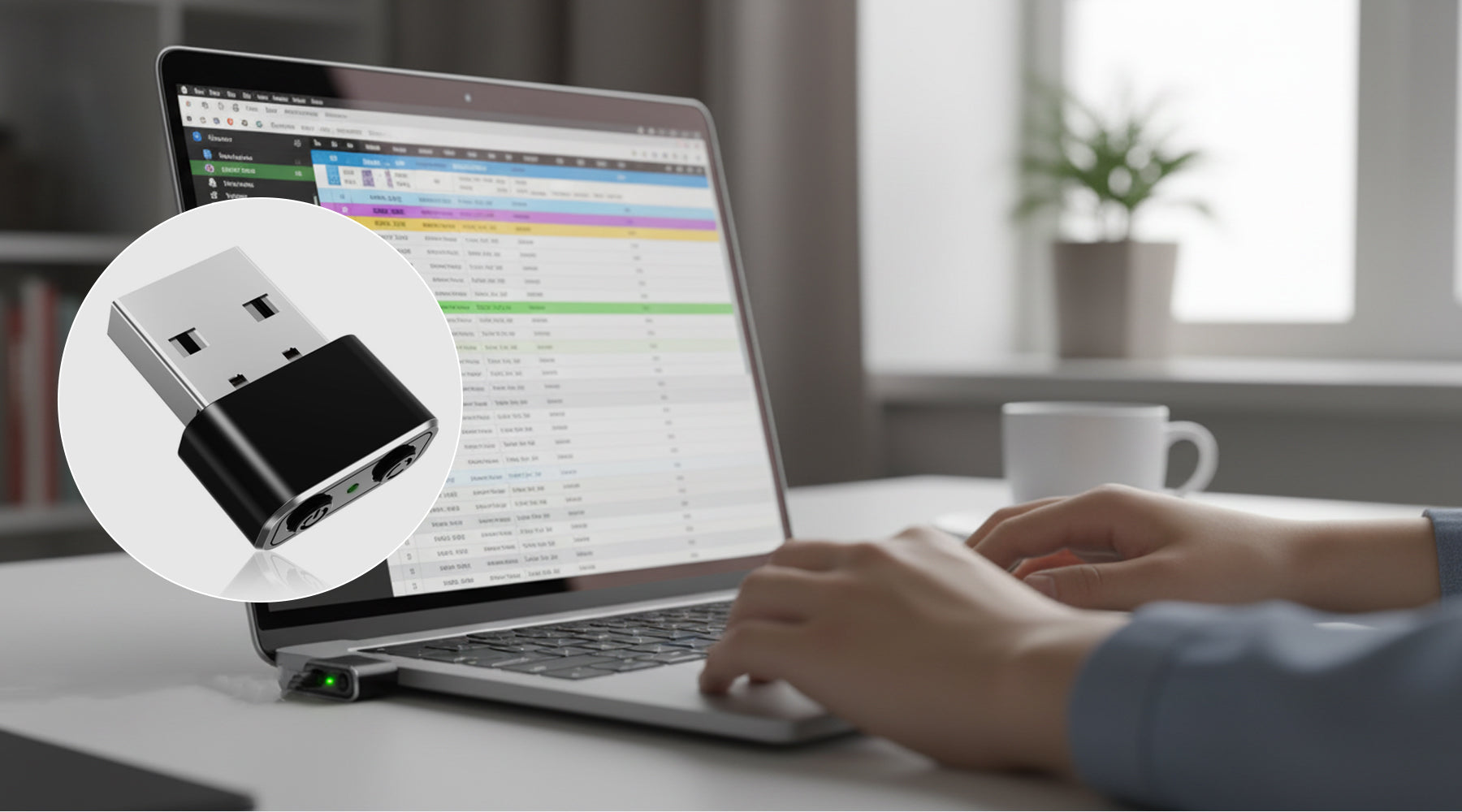
In today’s fast-paced digital world, maintaining an active computer session has become more important than ever. Whether you're working remotely, attending virtual meetings, running long processes, or simply trying to prevent your system from going idle, a tiny mouse jiggler can be a surprisingly powerful solution. Compact, silent, and incredibly effective, this small device solves a common yet frustrating problem—keeping your screen active without constant manual input.
What Is a Mouse Jiggler?
A mouse jiggler is a small USB device designed to simulate mouse movement automatically. Once plugged into your computer, it creates subtle cursor movements that prevent your system from going into sleep mode or triggering inactivity locks. Unlike software-based solutions, hardware mouse jigglers are plug-and-play, requiring no installation or configuration.
The latest generation of tiny mouse jigglers comes with advanced features such as multiple movement modes, memory functions, and dedicated ON/OFF controls. These enhancements make them more versatile and user-friendly than ever before.

Why Do You Need a Mouse Jiggler?
1. Stay Active Without Constant Interaction
Many workplaces use inactivity timers that lock systems after a few minutes of no input. This can interrupt workflows, disconnect VPN sessions, or pause important tasks. A mouse jiggler ensures your system stays active even when you're away for a short break.
2. Ideal for Remote Work
Remote workers often rely on messaging tools and monitoring systems that track activity. A mouse jiggler helps maintain an “active” status without requiring constant physical interaction with the computer. This is especially helpful during long meetings or when multitasking.
3. Prevent Interruptions During Long Tasks
If you're downloading large files, running scripts, or processing data, the last thing you want is your system going to sleep. A mouse jiggler keeps everything running smoothly without interruption.
4. No Software Required
One of the biggest advantages of a hardware mouse jiggler is that it doesn't require any software installation. This makes it compatible with systems that restrict downloads or administrative access.
5. Plug-and-Play Convenience
Simply plug the device into a USB port, and it starts working instantly. There’s no setup, no configuration, and no learning curve.

Key Features of a Modern Tiny Mouse Jiggler
1. Multiple Jiggle Modes
Modern devices come with three different movement modes:
-
Wide Range Jitter Mode: Moves the cursor across a larger area.
-
Small Range Jitter Mode: Subtle movements within a limited range.
-
Slight Jitter Mode: Minimal movement (1–2 pixels), ensuring no interference with your work.
This flexibility allows users to choose the level of movement that best suits their needs.
2. Memory Function
A built-in memory feature remembers your last selected mode. When you plug the device back in, it resumes operation exactly where you left off—no need to reset preferences.
3. Dedicated ON/OFF and Mode Buttons
Unlike basic models, advanced mouse jigglers include separate buttons for power and mode selection. This eliminates the need to repeatedly unplug the device and makes switching modes quick and easy.
4. Undetectable Operation
The device is recognized as a standard USB input device, ensuring seamless compatibility. It operates quietly in the background without drawing attention or requiring special permissions.
5. Wide Compatibility
These devices work across multiple platforms, including:
-
Windows (XP, 7, 8, 10, and newer)
-
macOS
-
Linux
They are also compatible with various types of mice, including wired, wireless, and optical models.
Use Cases for a Mouse Jiggler
Remote Professionals
Keep your status active on communication platforms while stepping away briefly.
Students
Prevent screens from timing out during online classes or exams.
IT Professionals
Ensure systems remain active during updates, installations, or remote sessions.
Gamers
Avoid disconnections during idle periods in certain online environments.
General Users
Maintain screen activity while reading long documents or watching content without interruptions.

Benefits of Using a Tiny Mouse Jiggler
The tiny mouse jiggler features a compact design, making it small and portable enough to carry anywhere, whether for use at home, in the office, or on the go. Its silent operation ensures that it runs without any noise or distraction, allowing you to work, study, or relax without interruption. Additionally, it is energy-efficient, drawing minimal power from your USB port while keeping your system active. Built for durability, this device is designed to withstand extensive use over time, ensuring reliable performance. On top of that, it is highly user-friendly, with simple controls and an intuitive interface that make it easy for anyone to operate without technical knowledge.
Things to Consider Before Buying
When choosing a mouse jiggler, it’s important to consider several key factors to ensure you get the most effective and reliable device. First, check the mode options—having multiple movement settings allows you to customize the cursor activity to suit different tasks and preferences. Next, assess the build quality, making sure the device is made from durable materials with reliable buttons that can withstand frequent use. Compatibility is also crucial; verify that the jiggler works seamlessly with your operating system, whether it’s Windows, macOS, or Linux. Portability is another factor, as a compact design makes it easy to carry and use anywhere. Finally, ease of use is essential—look for a plug-and-play device that requires no software installation, allowing you to start using it immediately without any technical setup.
Final Thoughts
A tiny mouse jiggler might seem like a small accessory, but its impact on productivity and convenience is significant. Whether you're working remotely, studying, or managing long-running tasks, this device ensures your computer stays active without constant input. Its compact size, silent operation, and advanced features make it an essential tool for modern digital life.
FAQs
Q1. What does a mouse jiggler do?
A1. A mouse jiggler simulates cursor movement to prevent your computer from going idle or entering sleep mode.
Q2. Is a mouse jiggler detectable?
A2. Hardware mouse jigglers are typically recognized as standard USB devices, making them difficult to distinguish from regular input devices.
Q3. Does it require software installation?
A3. No, it is plug-and-play and does not require any software.
Q4. Can it interfere with my work?
A4. In slight jitter mode, movement is minimal and usually does not affect normal usage.
Q5. Is it compatible with all operating systems?
A5. Most models work with Windows, macOS, and Linux.
Q6. Can I turn it off without unplugging it?
A6. Yes, advanced models include an ON/OFF button for convenience.
Q7. Does it consume a lot of power?
A7. No, it uses very little power from the USB port.
Q8. Is it safe for my computer?
A8. Yes, it functions like a standard USB input device and is safe to use.
Q9. Can I use it with a laptop?
A9. Absolutely, it works with both laptops and desktop computers.
Q10. What is the benefit of multiple jiggle modes?
A10. Different modes allow you to control the level of cursor movement based on your needs.
Keywords
mouse jiggler, tiny mouse mover, USB mouse jiggler, undetectable mouse jiggler, mouse movement simulator, keep screen active device, plug and play mouse jiggler, remote work tools, computer activity device, anti sleep USB device, mouse jiggler with modes, silent mouse mover, productivity tools, work from home accessories, cursor mover device
- Posted in:
- mouse jiggler