2 in 1 USB Printer Cable – Effortless Connection for Multiple Devices
- by verilux in
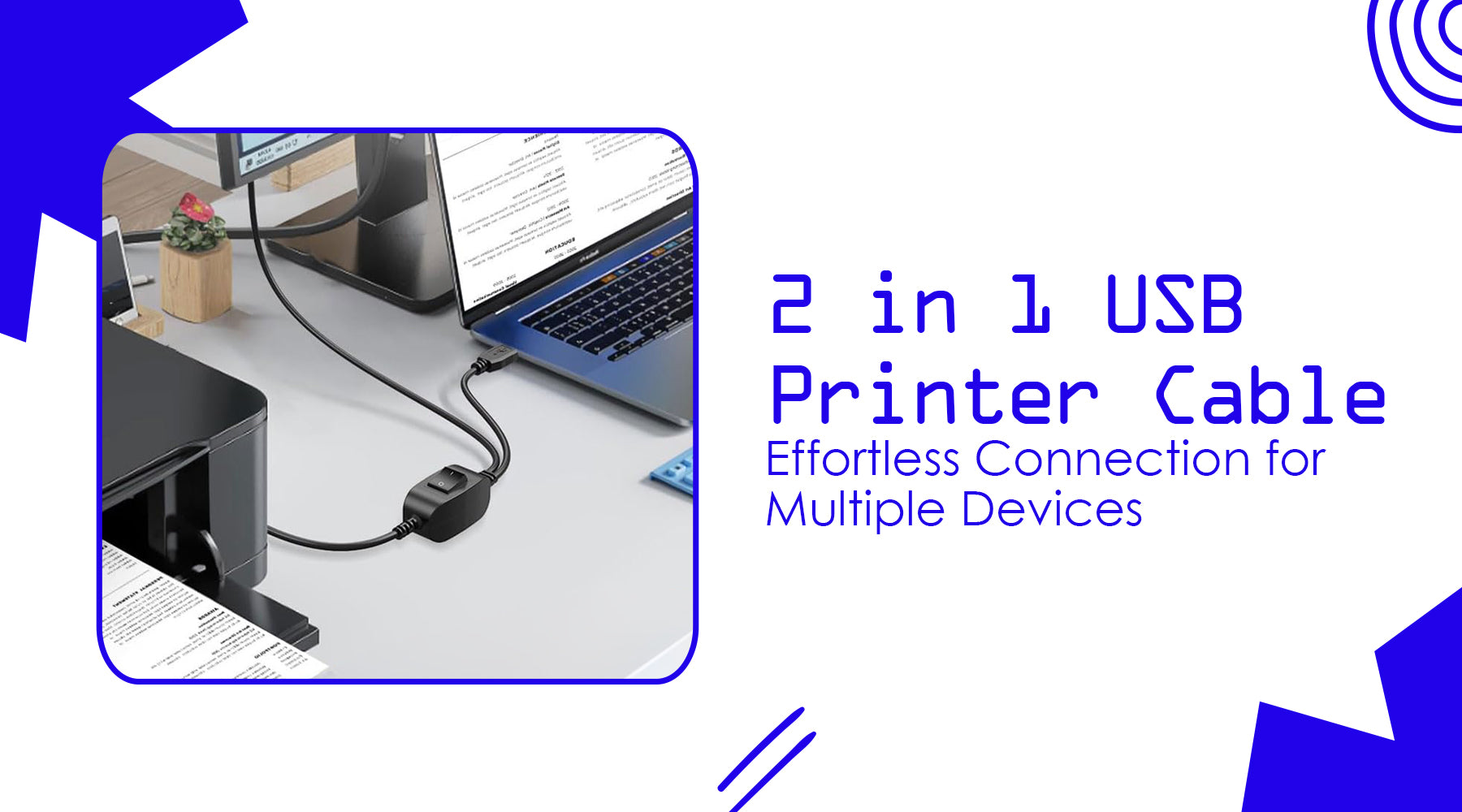
In today’s digital age, printers, scanners, and other USB devices are essential for work, school, and personal projects. However, managing multiple devices with traditional cables can be cumbersome. You may need to switch between computers frequently, which requires unplugging and reconnecting cables constantly—a frustrating and time-consuming task.
This is where a 2 in 1 USB printer cable comes in. It allows you to connect one printer or scanner to two computers simultaneously while providing a high-speed data transfer experience. The built-in switch controller enables you to toggle between devices effortlessly, eliminating the need to unplug and re-plug cables.
Whether you’re printing documents, scanning images, or sharing devices across an office, this dual-function cable is designed to make your workflow smooth, efficient, and reliable.

Universal Compatibility: Works with Almost Any Device
One of the biggest advantages of a 2 in 1 USB printer cable is its outstanding universal compatibility. Designed with a standard USB B connector, it easily connects to a wide range of devices commonly used in homes, offices, schools, and creative workspaces. Whether you’re using printers from leading brands like HP, Canon, Epson, Dell, or Lexmark, or connecting USB B-enabled scanners and other peripherals, this cable delivers a stable and reliable connection. It can also be used with compatible cameras, servers, and additional USB B devices, making it a versatile solution for various setups. Instead of juggling multiple cables for different equipment, you can depend on one high-quality cable to handle multiple devices, helping you save space, reduce desk clutter, and create a more organized, productive workspace.
High-Speed Data Transfer: Print and Scan Without Delays
Speed plays a major role when selecting the right 2 in 1 USB printer cable, especially if you regularly handle large files or high-resolution documents. With support for USB 2.0 high-speed data transfer up to 480 Mbps, this cable ensures smooth and efficient performance in everyday use. In practical terms, that means large PDFs, detailed graphics, and high-resolution photos are transmitted quickly, reducing waiting time and boosting productivity. Scanning tasks also become more efficient, as high-quality images and documents transfer without lag or interruption. Additionally, the cable is fully backward compatible with USB B 1.1 (12 Mbps) and USB B 1.0 (1.5 Mbps), making it a reliable solution for older printers and scanners. Whether you're working with modern equipment or legacy devices, you can count on stable, consistent performance.
|
Feature |
Specification |
|
Cable Length |
6.6FT / 2M |
|
Data Transfer Speed |
USB 2.0 up to 480 Mbps |
|
Compatibility |
HP, Canon, Dell, Epson, Lexmark, Samsung |
|
Connector Type |
Dual USB A Male to USB B 2.0 |
|
Durability |
Nylon braided, gold-plated connectors |
|
Plug & Play |
Yes, no drivers required |
With these specifications, the cable ensures flawless, high-definition prints and scans, making it ideal for both personal and professional use.

Effortless Device Switching with Built-In Controller
The dual USB functionality of a 2 in 1 USB printer cable goes beyond simply connecting two devices—it gives you complete control over how you manage them. With a built-in switch controller, you can toggle between connected computers instantly with just one button press. This eliminates the hassle of constantly unplugging and reconnecting cables, saving valuable time during busy work sessions. The intuitive design makes it easy for anyone to use, whether in a professional office, classroom, or home environment. You can switch between computers while printing or scanning without disrupting your workflow, making multitasking smoother and more efficient. This smart switching feature reduces cable clutter, keeps your workspace organized, and simplifies multi-device management in shared setups.
Durability That Lasts
A cable is only as reliable as its build quality, and this 2 in 1 USB printer cable is engineered for long-term durability and consistent performance. The nylon braided exterior adds excellent wear resistance while preventing tangling, making it ideal for busy workspaces. Gold-plated connectors enhance conductivity, reduce signal interference, and protect against corrosion, ensuring a stable connection over time. Its sturdy construction is designed to withstand frequent bending, plugging, and pulling, which is especially important in office or school environments where cables are handled regularly. By choosing a high-quality, durable cable, you minimize the risk of connectivity issues and avoid the cost and inconvenience of frequent replacements.
Plug-and-Play Convenience
This cable is driver-free, meaning installation is fast and easy. Simply connect the USB B end to your printer or scanner and the USB A ends to your computers. The cable works immediately without complicated setups or software.
Practical benefits of plug-and-play:
-
Instant setup: Save time and start working immediately.
-
Cross-platform support: Works on Windows, Mac, and Linux systems.
-
Reduced frustration: Perfect for non-technical users who just want a reliable connection.
Applications of a 2 in 1 USB Printer Cable
A dual USB printer cable is not just a convenience; it has real practical applications in multiple scenarios:
Home Office: Connect one printer to a personal and a work laptop for quick switching.
School Classrooms: Allow multiple students or computers to share one scanner or printer.
Corporate Office: Streamline multi-device printing in shared office spaces.
Creative Studios: Rapidly transfer high-resolution files from multiple computers to a central printer.
Legacy Device Support: Compatible with older USB B devices, reducing hardware waste.
This cable is designed to solve common connectivity problems, making it a versatile tool in any environment.

Advantages Over Standard USB Cables
|
Standard USB Cable |
2 in 1 USB Printer Cable |
|
Connects only one device |
Connects two devices simultaneously |
|
Must unplug to switch |
Built-in switch controller |
|
Limited speed |
Supports 480 Mbps high-speed transfer |
|
Prone to wear |
Nylon braided, gold-plated connectors |
|
Short lifespan |
Long-lasting and reliable |
Choosing a 2 in 1 USB printer cable is an investment in efficiency, durability, and convenience, far surpassing traditional single-device cables.
Installation and Setup Guide
Setting up your 2 in 1 USB printer cable is simple and takes only a few minutes. Here’s a detailed explanation of each step to ensure smooth installation and operation:
First, connect the USB B end (the square-shaped connector) to your printer or scanner. This is the standard port found on most USB-enabled printers and scanners. Make sure the connection is secure so the device can communicate properly with your computers.
Next, plug both USB A ends (the flat rectangular connectors) into the two computers or laptops you want to connect. These ports are commonly found on desktops, laptops, and docking stations. Once connected, both devices will recognize the printer, but only one will be active at a time.
After everything is plugged in, use the built-in switch button located on the cable to select which computer should control the printer. With a single press, you can instantly toggle between devices. This eliminates the need to unplug and reconnect cables whenever you want to print from a different computer.
Once selected, you can start printing or scanning immediately. The cable is plug-and-play, meaning no additional drivers or software installations are required (as long as your printer drivers are already installed on each computer).
Pro Tip: To extend the life of your cable, avoid tightly bending or twisting it. If there is extra length, loosely coil the cable to prevent strain on the connectors. This helps maintain signal quality and ensures long-term durability.
Frequently Asked Questions
Q1. Does the switch require external power?
A1. No, the built-in switch controller does not require external power. It operates directly through the USB connection, making it simple and energy-efficient.
Q2. Will switching devices interrupt my print job?
A2. If you switch devices while printing, it may interrupt the current task. It’s recommended to complete a print job before switching to the other computer.
Q3. Is this cable compatible with USB 3.0 ports?
A3. Yes. Although it is a USB 2.0 cable (480 Mbps), it works perfectly when plugged into USB 3.0 ports. The speed will remain at USB 2.0 levels.
Q4. Can I use this cable for firmware updates on my printer?
A4. Yes, the stable data transmission supports firmware updates, provided your printer allows updates via USB connection.
Q5. Does this cable support bi-directional communication?
A5. Yes, it supports bi-directional data transfer. This means your computer can send print commands while also receiving status updates from the printer.
Q6. Is there any signal loss over the 6.6FT (2M) length?
A6. No. The cable is designed to maintain stable performance and signal integrity across the full 6.6FT length without noticeable data loss.
Q7. Can I connect two printers to one computer using this cable?
A7. No. This cable is designed to connect one printer to two computers, not two printers to one computer.
Q8. Does the cable support all operating systems?
A8. Yes, it works with most modern operating systems including Windows, macOS, and Linux, as long as the printer itself is compatible.
Q9. Is the nylon braided material flexible?
A9. Yes, the nylon braided exterior is both durable and flexible. It resists tangling while remaining easy to bend and position.
Q10. How do I know which computer is currently active?
A10. The switch controller typically includes an indicator (such as a light or tactile click) showing which USB connection is active, helping you avoid confusion.
Why This Cable is a Must-Have
A 2 in 1 USB printer cable is more than just a simple connectivity accessory—it’s a practical productivity tool designed to streamline your daily workflow. By allowing two computers to stay connected to a single printer or scanner, it saves valuable time and eliminates the frustration of constantly unplugging and reconnecting cables. With reliable high-speed data transfer, you can print and scan documents quickly without lag or interruptions. Its universal compatibility ensures it works seamlessly with nearly all USB B-enabled devices, making it a versatile solution for home, office, or school use. Built with durable, high-quality materials, this cable is engineered for long-lasting performance, providing a dependable and efficient printing setup for years to come.
Conclusion
Whether for home, office, or school use, the 2 in 1 USB printer cable is a smart, practical accessory that improves productivity, simplifies multi-device management, and ensures fast and reliable data transfer. Its universal compatibility, built-in switch controller, and durable design make it a must-have for anyone dealing with multiple computers or USB B devices.
- Posted in:
- 2 in 1 USB printer cable